What Is Audio Mastering? A Guide for Voice Producers
Summary
Audio mastering is the final processing stage between your mix and distribution. It calibrates tonal balance, controls dynamics, and sets the loudness level each delivery platform expects. For voice producers working with AI-generated dialogue, mastering is where a technically correct render becomes audio that holds up on earbuds, car speakers, and broadcast monitors. This guide covers what happens at each stage, the platform LUFS targets that actually matter, and what changes when your source is synthetic.
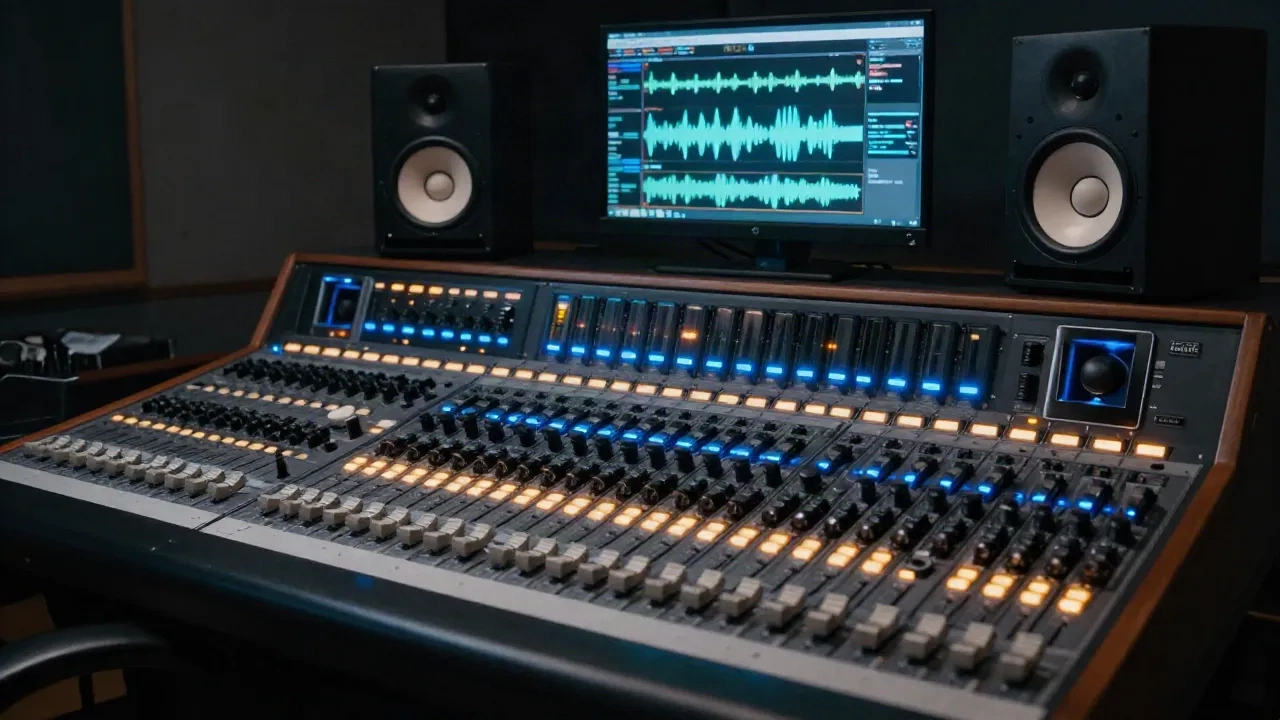
What is audio mastering? It is the final processing stage between your mix and distribution: the step where tonal balance, dynamics control, and platform-compliant loudness come together before a file reaches a listener's ears.
The one-sentence definition: and why it matters more than the phrase suggests
Audio mastering is the process of taking a finished stereo mix and preparing it for distribution. That sentence is technically accurate and almost useless on its own.
What mastering actually means in practice is applying a sequence of calibrated processing decisions: EQ, compression, stereo enhancement, limiting. Applied to a final mix file, these decisions meet three objectives simultaneously: tonal consistency, controlled dynamics, and platform-compliant loudness. A mastered track sounds coherent on a $15 pair of earbuds and a $4,000 pair of Genelec studio monitors. It meets the integrated LUFS target that Spotify or ACX requires without clipping or perceptible distortion. And it stays sonically aligned with the other titles on the same release or in the same game.
Mastering is not a fix for a bad mix. If the low end is muddy, the sibilance is aggressive, or the stereo image is narrow, mastering can address those problems at the margins, but it will not fix them at the source. The mastering engineer's headroom is limited by what the mix provides. For voice producers working with AI-generated audio, this distinction is especially practical: if the clone has synthesis artifacts at 8-10 kHz or uneven formant stability across takes, address those before the mastering stage.
The mastering chain: what each stage does to the signal
A standard mastering chain runs in roughly this order, though the exact sequence depends on the material and the engineer's judgment.
High-pass filter. Removes sub-sonic rumble below 20-30 Hz. On voice material, energy below 80 Hz is rarely useful and often introduces low-end buildup that muddies the mix.
Equalisation. Broad, surgical adjustments to the full-frequency response. Typical moves are 0.5 to 2 dB, not the 6-10 dB corrections you might apply to an individual track during mixing. The goal is tonal balance: the low-mids don't feel congested, the high end has presence without harshness, the voice cuts through without being sharp.
Stereo imaging. Adjustments to width and mono compatibility. Most voice content: audiobooks, podcast narration, game dialogue, should stay largely mono-compatible. Check that critical dialogue collapses cleanly to mono before finalising.
Compression. Optical, VCA, and multiband compressors each affect transients and sustain differently. At the mastering stage, compression is typically gentle (2-4 dB gain reduction maximum) and aimed at gluing the mix together rather than shaping individual elements. On voice material, use a slow attack (30-80 ms) to preserve transients and a medium release (100-300 ms) to maintain naturalness.
Limiting. The final stage. A true peak limiter sets the ceiling, prevents inter-sample peaks that cause distortion during lossy encoding, and sets the integrated loudness target. Most limiting at mastering is 3-6 dB of gain reduction. More than 6 dB of limiting on voice typically introduces audible pumping and reduces intelligibility on narrow-bandwidth playback devices.
LUFS, true peak, and the platform targets that actually matter
LUFS stands for Loudness Units relative to Full Scale: a perceptual loudness measurement that accounts for how human hearing weighs different frequencies. Integrated LUFS measures average loudness over the full duration of a file. Momentary and short-term LUFS measure instantaneous loudness over 400 ms and 3-second windows respectively.
Each distribution platform specifies a target integrated LUFS level and normalises uploads to that value. Delivering louder than the target does not give you a loudness advantage: the platform turns it down. Delivering quieter wastes dynamic range.
Current platform targets:
Spotify: -14 LUFS integrated, -1 dBTP true peak
Apple Music: -16 LUFS integrated, -1 dBTP true peak
YouTube: -14 LUFS integrated, -1 dBTP true peak
Tidal: -14 LUFS integrated, -1 dBTP true peak
ACX (audiobooks): -23 to -18 LUFS integrated, -3 dBTP true peak, -60 dBRMS noise floor
EBU R128 (broadcast): -23 LUFS integrated, -1 dBTP true peak
Session note: ACX standards are stricter than streaming music targets. The integrated loudness window is narrow (-23 to -18 LUFS, with most QC reviewers preferring -23 to -20) and noise floor requirements are tight (-60 dBRMS ambient). Check these specs before you master, not after. A file that passes Spotify normalisation can fail ACX QC and require a full re-master.
For game dialogue, LUFS targets vary by engine and implementation. Unreal Engine 5's default audio architecture expects -23 LUFS for dialogue buses when using Dialogue Voice Attenuation. Unity targets depend on the game's dynamic range profile. If no project spec is provided, target -20 to -18 LUFS integrated and let the game engine's gain staging handle the final level.
Mastering AI-generated voice: where synthetic signals behave differently
Most mastering guides assume the source is a live recorded take. AI-generated voice has different spectral and dynamic characteristics that affect how each stage of the mastering chain behaves.
High-frequency synthesis artifacts. AI voice synthesis often introduces subtle brightness inconsistencies or faint metallic artifacts in the 5-12 kHz range. These typically appear as a slight harshness absent from clean recorded takes. A gentle high-shelf cut (-1 to -1.5 dB above 8 kHz) often reduces this without softening presence. Test before and after on earbuds: synthesis artifacts are more audible on consumer headphones than on flat studio monitors.
Formant consistency across takes. When assembling multi-take sessions from an AI voice, different generation parameters or slight model drift can create formant shifts between consecutive takes. These show up as tonal inconsistency in the assembled file: one paragraph sounds slightly brighter or darker than the next. Catch these before mastering with a spectral comparison tool. Mastering EQ can smooth broad frequency imbalances but cannot correct take-to-take formant drift.
Dynamic range. AI-generated voice at default synthesis settings tends to have less micro-dynamic variation than a recorded performance, so the signal is perceptually flatter. This means gentle multiband compression at mastering may have less to do, but it also means the output can fatigue faster on extended listening. Consider preserving rather than compressing the small dynamic variations the model does generate.
Noise floor. AI voice renders typically have a near-silent noise floor (-90 dBFS or lower), unlike recorded takes which carry room tone at -55 to -65 dBRMS. For ACX delivery, this works in your favour: you meet the noise floor spec by default. For narrative content where the absence of room tone creates an unnatural feel, some producers add low-level room tone (-65 to -60 dBRMS) before mastering to increase perceived naturalness at normal listening volumes.
The tools in a typical mastering chain
The mastering chain can run as a hardware outboard setup, a software-only DAW chain, or through an AI-assisted mastering service.
Hardware outboard. Tube and transformer-based analogue processors add harmonic character that some engineers prefer for music mastering. For voice and dialogue, the colour from analogue hardware is rarely the priority. Clarity, intelligibility, and accurate metering matter more. Analogue mastering is less common for voice work than for music.
DAW plugin chains. iZotope Ozone (full suite), FabFilter Pro-L2 (limiting), Nugen Audio MasterCheck (loudness metering), and Brainworx bx_masterdesk are common choices for professional software mastering chains. iZotope Ozone's AI-assisted modules: Master Assistant and EQ Match give a solid starting point that experienced engineers then refine manually.
AI mastering services. LANDR, CloudBounce, and eMastered offer automated mastering based on ML models. These services are fast and cost-effective for high-volume voice production: large NPC dialogue batches, multilingual audiobook editions. Quality varies. For music, AI mastering services are often criticised for generic EQ decisions. For voice content with a consistent spectral profile, results are more predictable. Run a batch test before committing a full project.
Session note: AI mastering services use their own LUFS targets and true peak limits. Verify the output against your delivery spec rather than trusting the platform preset. A LANDR "streaming" preset does not guarantee ACX compliance.
Common mastering mistakes that cost voice clarity
Over-limiting. The most common error. A true peak limiter squeezing 8-10 dB of gain reduction to hit a loudness target does not increase perceived loudness on streaming platforms: normalisation brings it back down. What it does do is remove all dynamic variation from the signal and introduce distortion that shows up as harshness on consumer speakers.
Mastering the mix bus, not a printed file. Master from a printed stereo file: bounced offline with the mix bus processing bypassed, not from the live mix bus with plugins running. Mix bus processing applied during mastering and during the bounce creates accumulated decisions that are difficult to untangle.
Using the mastering room as a substitute for accurate monitoring. Mastering decisions made on a single playback system often fail to translate. Check the output at minimum on studio monitors (flat response), earbuds or consumer headphones, and a Bluetooth speaker. For voice content, intelligibility on a phone speaker at 70% volume is a reliable proxy test.
Skipping the codec check. Lossy encoding: MP3 at 128 kbps, OGG Vorbis for game audio, introduces inter-sample peaks and can amplify high-frequency artifacts. Run your mastered file through the delivery codec before final QC. What sounds clean at 24-bit WAV may have audible distortion at 128 kbps MP3 if the true peak limit was set at 0 dBTP instead of -1 dBTP.
Before your next session
The practical checklist before mastering any voice session:
Print the mix to a clean stereo file; bypass the mix bus
Verify the delivery spec before touching the chain
Check for synthesis artifacts in the 5-12 kHz range if the source is AI-generated
Check mono compatibility, especially for content delivered on mobile devices
Set the limiter ceiling to -1 dBTP minimum; use -3 dBTP for ACX delivery
Encode to delivery format and run a final codec-check playback
Mastering is a short step in the production chain with a disproportionate impact on how the final audio holds up across listening contexts. For voice work: recorded, synthesised, or blended, getting the LUFS target, the EQ balance, and the limiter settings right is the difference between audio that sounds professional at delivery and audio that sounds like a draft.