What Is LUFS? Loudness Targets for AI Voice Workflows
Summary
What is LUFS? It is a loudness unit from ITU-R BS.1770 that measures perceived loudness over time with K-weighting and gating, where 1 LU equals 1 dB. Podcasts commonly target -16 LUFS, Spotify normalizes to -14 on Normal, and EU broadcast uses -23, always with true peak near -1 dBTP. Generated voice clips vary by voice, language and emotion setting, so measure each clip, group by character, and fix gaps with plain gain.
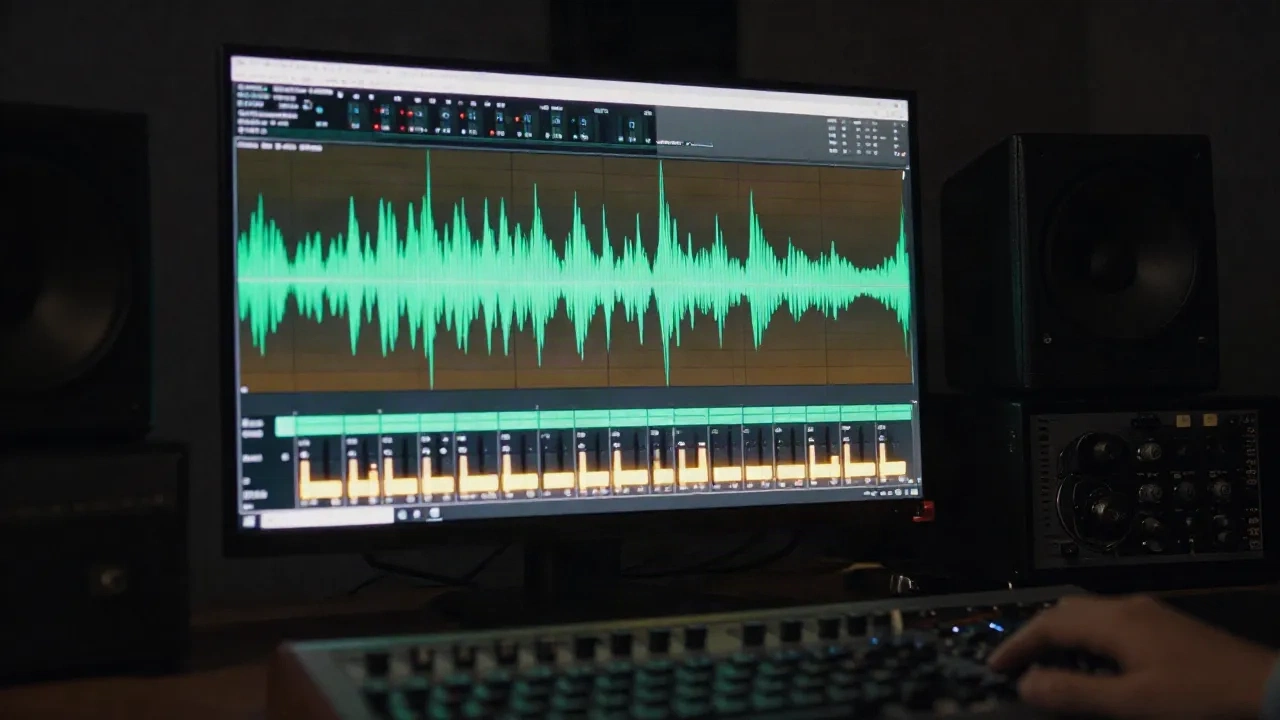
What is LUFS? It is a loudness unit that measures how loud audio feels to a listener over time, not how high a waveform peaks. One LU equals one dB of gain, so the math is easy. The hard part is knowing which number to hit, where to measure it, and why clips from a voice generator rarely match each other. This guide covers the standard, the delivery targets you will actually meet, and a batch routine for synthetic voice.
What does LUFS actually measure?
LUFS stands for Loudness Units relative to Full Scale. It comes from ITU-R BS.1770, and the same measurement is called LKFS in some regions. The scale is relative to digital full scale, so 0 LUFS is the ceiling and real programme material sits well below it, as a negative number.
The measurement runs in three steps. First, K-weighting: a high-pass filter around 38 Hz plus a gentle high-frequency shelf that approximates how the ear weights frequencies. Second, mean-square energy is averaged over time. Third, gating drops silence so pauses do not drag the average down.
That last point matters for speech. A narrator who pauses a lot would read quieter on a naive average. BS.1770 gates out anything below -70 LUFS absolute, then anything more than 10 LU under the running level. Your pauses stop counting against you.
The session note: a peak meter tells you the tallest spike. LUFS tells you how heavy the whole signal feels. Two clips can share a -1 dBFS peak and sit 8 LU apart.
Momentary, short-term, integrated: which reading do you trust?
A loudness meter shows three readings, and people mix them up constantly.
Momentary uses a 400 ms window. It reacts fast and shows bursts.
Short-term uses a 3 second window. It shows how a phrase or a scene sits.
Integrated averages the whole programme, gated. This is the number a delivery spec asks for.
Loudness range (LRA, from EBU Tech 3342) is a fourth figure. It describes how much the level moves across the programme, in LU. A podcast with one host and steady gain has a small LRA. A drama with whispers and shouts has a big one.
For delivery, you quote integrated loudness. For fixing problems inside a file, you watch short-term. Momentary is for catching the sneeze, the plosive, the click.
Which LUFS target should you hit?
Targets differ by destination. These are the figures that come up most often, and you should confirm each against the platform's current documentation before you ship.
Spotify (Normal playback setting): -14 LUFS, true peak -1 dBTP
YouTube: around -14 LUFS, -1 dBTP
Apple Music: -16 LUFS, -1 dBTP
Podcasts (common practice): -16 LUFS, plus or minus 1 LU, -1 dBTP
EU broadcast (EBU R128): -23 LUFS, plus or minus 0.5 LU, -1 dBTP
Spotify documents its own numbers: playback normalizes to -19 LUFS on Quiet, -14 on Normal and -11 on Loud, and it recommends masters at -14 LUFS with true peak at or below -1 dB. The Spotify loudness normalization guide lists them. The EBU R 128 recommendation sets the European broadcast reference at -23 LUFS.
Skip the idea that one number is "correct". A -16 LUFS podcast played on a platform that normalizes to -14 simply gets turned up 2 LU. Nothing breaks. What breaks is a file that was crushed with a limiter to reach a loud target and now sounds fatigued.
Why do LUFS and true peak travel together?
Integrated loudness says nothing about the tallest instantaneous peak. A file can hit -16 LUFS and still clip a converter after lossy encoding. True peak (dBTP) estimates the peak between samples, using oversampling, because AAC and Ogg encodes can overshoot what the sample values show.
The practical rule: set the loudness target first, then check that true peak stays at or below -1 dBTP. Spotify advises going lower, to -2 dBTP, when a master is louder than -14 LUFS, to limit encoding distortion.
Audiobook work adds a twist. ACX, the main US audiobook retailer, specifies RMS levels between -23 and -18 dB with peaks no higher than -3 dB, not LUFS. If you narrate for that channel, measure RMS as the spec demands. If you also release a podcast edit of the same chapters, measure LUFS for that one. Two specs, two meters, one source file.
Why do AI voice clips come out at different loudness?
Here is the part generic LUFS guides skip. A text-to-speech engine does not know your target. Each generation returns audio at whatever level the model and the voice settings produce, and that level can shift between voices, between languages, and between emotional states.
Three things move the number:
The voice itself. A deeper clone with more low-mid energy reads differently under K-weighting than a bright one, even at identical peak level.
Delivery style. A whispered line and a shouted line from the same voice are not the same loudness, and an emotion control changes more than pitch.
Clip length. A 2 second NPC bark has barely one short-term window in it. Its integrated reading is noisy, and gating can behave oddly on very short material.
If you drive a voice through emotion sliders, as AnyVoice does with its 8-slider system, treat every slider change as a reason to re-measure. Nothing guarantees two slider positions land at the same LUFS.
The session note: synthetic speech is often cleaner than a recorded take, with no room tone and no breaths unless you ask for them. Gating then removes less than it would on a live recording, so integrated readings can sit closer to short-term readings than you expect.
A batch routine for generated voice
Say you have 300 lines of dialogue in three emotional states. Hand-riding faders is not an option. Here is a workflow that holds up.
Generate at a consistent export setting. Same sample rate and bit depth for every clip, so you compare like with like.
Measure integrated LUFS and true peak per clip with a BS.1770 meter. Most DAWs and command-line tools such as ffmpeg's loudnorm filter can report both.
Group by role, not by file. All lines from one character should land within about 1 LU of each other. Different characters can differ if the scene calls for it.
Apply gain, not compression, to close the gap. A linear gain change of 2.3 dB moves the loudness by exactly 2.3 LU and leaves the dynamics alone.
Check true peak after gain. If a clip now overshoots your ceiling, use a true peak limiter with a short lookahead, and keep the reduction small.
Normalize the final mix once. Do your platform target on the finished programme, not on each stem.
A worked example with round numbers: a generated clip measures -21.5 LUFS and your dialogue target is -18 LUFS. You need +3.5 dB. If its true peak was -6 dBTP, it lands at -2.5 dBTP, which is inside a -1 dBTP ceiling. No limiter needed.
Now the same clip with a peak at -3 dBTP. After +3.5 dB it would sit at +0.5 dBTP, over full scale in the oversampled domain. Here you either lower the target, shape the transient, or limit. Which one depends on whether that peak is a plosive you would fix anyway.
Should you normalize to LUFS or leave the generator alone?
It depends on where the audio goes.
If the clip ships straight into a game engine, an IVR flow, or an app, normalize every asset to one dialogue target and let the runtime handle the mix. A game with inconsistent line levels forces players to ride the volume knob, which is the exact thing a loudness spec exists to prevent.
If the clip goes into a DAW as a first pass, you can skip pre-normalizing. You will rebalance against music and effects anyway. Measure the final mix.
Worth the effort: a loudness pass on synthetic voice before it hits your chain. Skip it if you are generating a single 30 second spot you will check by ear anyway. The cost of measuring is seconds per clip, so the break-even sits at roughly the point where you stop remembering which clip was which.
Platform tools help at the margin. Some TTS platforms publish their own output normalization or loudness settings, so read the docs before you build a pipeline step that duplicates them. Murf AI and others in the category differ on voice library size and API latency, which matters more for a real-time pipeline than for batch jobs.
Common LUFS mistakes (and the fix for each)
Chasing -14 on speech-only content. Music mastering targets do not map onto spoken word. A dialogue-led podcast at -16 LUFS sounds right on most phones and earbuds. Pushing it to -12 to "compete" buys you a limiter you do not need.
Measuring before the final edit. Crossfades, room tone fills and music beds all change integrated loudness. Measure last.
Trusting a single meter plugin blindly. Meters should agree to within a few tenths of an LU on the same file. If two disagree by 1 LU or more, check the gating setting and the measurement mode before you trust either.
Ignoring true peak. Hitting the loudness target with a +0.3 dBTP peak is a failed delivery on most specs.
Comparing files at different loudness by ear. A louder file almost always wins an A/B. Level-match before you judge a voice, a plugin, or a clone. This applies directly when you compare TTS vendors: match integrated loudness first, then listen.
What this changes in your pipeline
You do not need to memorize the standard. You need three habits.
First, pick the destination before you pick the target. Streaming music, podcast feeds, broadcast and audiobook retail each have their own number, and some use RMS instead of LUFS.
Second, treat generated voice as unleveled stock. Measure every clip, group by character, and fix the gap with plain gain.
Third, gate your decisions on integrated loudness and true peak together. One without the other passes files that fail in production.
If you run enterprise voiceover with strict compliance requirements, a vendor with governance features such as WellSaid Labs fits that procurement shape. For solo builders, start with a meter, a target, and a spreadsheet of per-character offsets.